


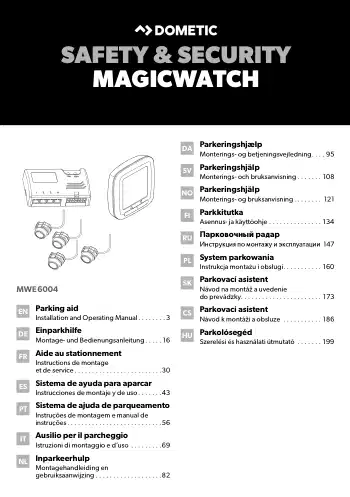

MAGICWATCH

Parkeringshjælp Monterings- og betjeningsvejledning 95
Parkeringshjälp Monterings- och bruksanvisning 108
Parkeringshjälp Monterings- og bruksanvisning 121
Parkkitutka Asennus- ja käyttöohje 134
Парковочный радар Инструкция по монтажу и эксплуатации 147
System parkowania Instrukcja montażu i obsługi 160
Parkovací asistent Návod na montáž a uvedenie do prevádzky 173
Parking aid Installation and Operating Manual 3
Parkovací asistent Návod k montáži a obsluze 186
Einparkhilfe Montage- und Bedienungsanleitung 16
Parkolósegéd Szerelési és használati útmutató 199
HU
FR
Aide au stationnement Instructions de montage et de service 30
Sistema de ayuda para aparcar Instrucciones de montaje y de uso 43
Sistema de ajuda de parqueamento Instruções de montagem e manual de instruções 56
Ausilio per il parcheggio Istruzioni di montaggio e d’uso 69
NL
Inparkeerhulp Montagehandleiding en gebruiksaanwijzing 82




Explanation of symbols MWE6004
The following texts are only a supplement to the illustrations on the sup- plementary sheet. They do not contain the full installation and operating instructions. Please observe the illustrations on the supplementary sheet.
Please observe the prescribed safety instructions and stipulations from the vehicle manufacturer and service workshops.
Observe the applicable legal regulations.
The manufacturer accepts no liability for damage in the following cases:

MWE6004 Safety and installation instructions

Scope of delivery MWE6004
See fig. 1
No. Quantity Description Ref. no.
1 1 Control electronics
2 4 Sensor connection cable 2.5 m
3 4 Ultrasonic sensors 9600000657
4 4 0° sensor holder with cover ring
5 4 10° sensor holder with cover ring
6 1 Terminal for display
7 4 Sensor holder 0° (mounted from inside)
8 4 Sensor holder 10° (mounted from inside)
9 1 Control electronics connection cable
11 1 Display holder
12 1 Adhesive pad for control electronics
13 1 Adhesive pad for monitor bracket
– 1 Connecting and fastening material
Available as accessories (not included in the scope of delivery):
Description Ref. no.
Sensor holder for metal bumper 9101500015
Subframe sensor holder (fig. c 1) 9101500078
Rubber sensor holder for surface mounting (fig. c 2) 9101500071
10 1 Display

Dometic MWE6004 (ref. no. 9101500081) is a parking aid based on ultrasound. When manoeuvring, it monitors the space behind the vehicle and provides an audible and visible warning signal for any obstacles it detects.
MWE6004 is designed for installation in commercial vehicles.
See fig. 2 I
See fig. 3 to fig. 5 I
Supplementary to fig. 5
➤Observe the intervals between sensors.
MWE6004 Intended use

Fitting the parking aid MWE6004
See fig. 6 to fig. a
➤Push the sensor holders into the holes until they lock into place.
➤Mount the monitor bracket at one of the positions shown here.

MWE6004 Connecting the parking aid
See fig. b I
Slot for plug on MWE6004
No. Description
1 Control electronics –
2 Black/blue, brown and black/yellow wires to display –
5 Sensors Slot 1 to 4
control module

See fig. d
The detection range of the parking aid is divided into four zones:
Virtually all objects are displayed in this zone, but some objects may end up in the blind spot of the sensors.
There must be no objects in the detection range of the sensors, as this would result in an incorrect display.
The display of fixed objects such as, e.g. a trailer can be suppressed (Parameter 13).
Detection range MWE6004

MWE6004 Setting the system
See fig. d to fig. g !
The device has the following control elements:
No. in fig. e Description
1 LC display F SET Factory settings activated
2, 3 Buttons for setting the system
Supplementary to fig. g
Configurable parameters:
Restoring the factory settings
➤Press both buttons below the display until the reset is acknowledged with a brief
sound.

Performing a functional test MWE6004
Define acoustic signal for obstacles
➤Set parameter 09 as required:
– 1: Signal sound for approaching objects only – 5 or 10: for stationary or moving objects for 5 or 10 seconds – 99: Signal sound for all objects
Conduct the functional test of the sensors as follows:
➤Switch on the ignition and engage the reverse gear.
Be very careful when you operate the device for the first time, and make sure that you familiarize yourself with the various sequences of beeps. !
The sensors are activated automatically when you engage the reverse gear with the ignition on or the engine running. An activation signal is emitted (two short tones).
As soon as there is an obstacle within the detection range, a repeated signal tone is emitted. As you approach, the tone sequence changes, depending on the zone in which the obstacle is, thereby indicating the distance.
Be very careful the first time you use the system, until you are familiar with the various sequences of beeps. !
WARNING! Stop the vehicle immediately and investigate the situation (getting out if necessary), if the following happens while you are manoeuvring: the device first indicates an obstacle and the tone sequence speeds up normally (e.g. from slow to medium) when manoeuvring. the signal tone suddenly slows down, or no obstacle is indicated at all. This means that the original obstacle is in the blind spot of the sensors (construction-related characteristic), and there is still a potential for colli- sion.

The device shows no function.
The cables to the reversing light are not connected or are not properly connected.
The plugs for the sensors are not connected or are not correctly plugged into the control electronics.
➤Check the plugs and make sure they lock into place.
Flashing segments on display
Faulty sensors are indicated on the display by flashing segments that are immediately in front of the affected sensor. The system continues to operate with the remaining sensors. A
The speaker is switched off.
➤Check whether the loudspeaker is switched on.
➤Check whether the loudspeaker is connected correctly.
➤Set parameter 01 to a value of 1 or 2 (see chapter “Setting the system” on page 11).
Device indicates obstacles incorrectly
False alarms may have the following causes:
➤Clean the sensors.
➤Adjust the position of the sensors (fig. 3).
➤If necessary, use parameters 17 to set the sensitivity of the sensors (see chapter
“Setting the system” on page 11).
MWE6004 Troubleshooting · No acoustic signals

➤Separate the sensors from the chassis.
Objects on the vehicle (e.g. trailer) cause false alarms
➤Adjust the stop zone using parameter 7 to match the object (see chapter “Setting
the system” on page 11).
The statutory warranty period applies. If the product is defective, please contact the manufacturer's branch in your country (see the back of the instruction manual for the addresses) or your retailer.
For repair and guarantee processing, please send the following items:
➤Place the packaging material in the appropriate recycling waste bins wherever
If you wish to finally dispose of the product, ask your local recycling centre or specialist dealer for details about how to do this in accordance with the applicable disposal regulations.
Warranty MWE6004

Ref. no.: 9101500081
Certification:
MWE6004 Technical data
Besitzer und unser Team antworten in der Regel innerhalb eines Tages – und Ihre Frage hilft auch anderen weiter.
Stellen Sie die erste Frage — andere Nutzer oder unser Team antworten Ihnen.