




## RS232 / Ethernet adapter device for IP network control of DM8000 ## Provides IP control from 3rd-party controllers through DM8000 RS232 port ## POE (Powered over Ethernet) for convenient network deployment ## Extra RS232 port to connect to 3rd-party control systems ## Built-in LED provides power indication ## 10-Year Warranty Program* ## Designed and engineered in the U.K.
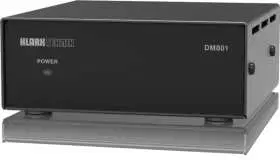
The DM801 is designed for customers seeking an Ethernet interface for IP network control of their Klark Teknik DM8000 Digital Audio Processor, and is ideal for use with 3rd-party control systems.

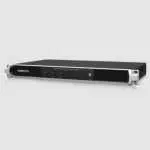

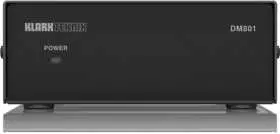
Thanks to its Power over Ethernet (PoE) technology, the DM801 comes ready for implementation with no need for external power. The bright-blue LED on the front panel illuminates to verify the device is receiving power.

*Warranty details can be found at musictribe.com.




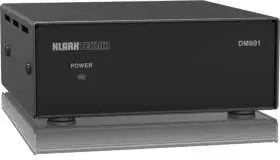
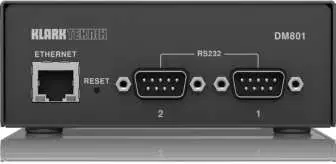
Engineered to function as a pass through device that bridges DM8000’s native RS232 control capability to the Ethernet, DM801’s IP settings can easily be viewed and adjusted via Klark Teknik DM8000 DM Designer software, which is a free download available at klarkteknik.com. A second RS232 port is supplied to connect 3rd-party serial-based control to the DM8000, should that be desired. With its compact size of only 45 x 117 x 120 mm (1.8 x 4.6 x 4.7") and weight of 0.85 kg (1.87 lbs), the DM801 is perfect for deployment – even in tight spaces.

We always strive to provide the best possible Customer Experience. Our products are made in our own Music Tribe factory using state-of-the-art automation, enhanced production workflows and quality assurance labs with the most sophisticated test equipment available in the world. As a result, we have one of the lowest product failure rates in the industry, and we confidently back it up with a generous Warranty program.
2 of 4


3 of 4

For service, support or more information contact the Klark Teknik location nearest you:
Europe Music Tribe Brands UK Ltd. Tel: +44156 273 2290 Email: CARECrea@musictribe.com
USA/Canada Music Tribe Commercial NV Inc. Tel: +1 702 800 8290 Email: CARECrea@musictribe.com
Japan Music Tribe Services JP K.K. Tel: +81 3 6231 0453 Email: CARECrea@musictribe.com
CAREEnte@musictribe.com CARELife@musictribe.com
CAREEnte@musictribe.com CARELife@musictribe.com
CAREEnte@musictribe.com CARELife@musictribe.com
Music Tribe accepts no liability for any loss which may be suffered by any person who relies either wholly or in part upon any description, photograph, or statement contained herein. Technical specifications, appearances and other information are subject to change without notice. All trademarks are the property of their respective owners. Midas, Klark Teknik, Lab Gruppen, Lake, Tannoy, Turbosound, TC Electronic, TC Helicon, Behringer, Bugera and Coolaudio are trademarks or registered trademarks of Music Tribe Global Brands Ltd. © Music Tribe Global Brands Ltd. 2019 All rights reserved.
In dieser Anleitung genannte Seiten – Hersteller, Support und Downloads.
Besitzer und unser Team antworten in der Regel innerhalb eines Tages – und Ihre Frage hilft auch anderen weiter.
Stellen Sie die erste Frage — andere Nutzer oder unser Team antworten Ihnen.