

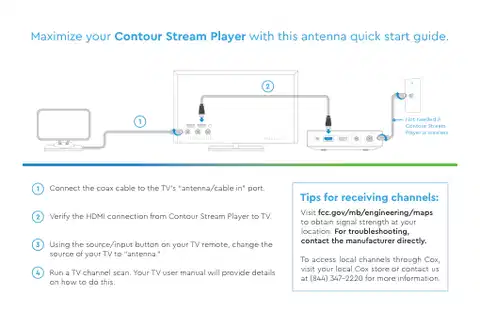

Maximize your Contour Stream Player with this antenna quick start guide.
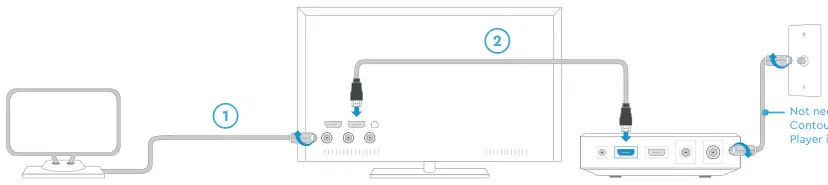
Not needed if Contour Stream Player is wireless 1
Connect the coax cable to the TV’s “antenna/cable in” port.
Verify the HDMI connection from Contour Stream Player to TV.
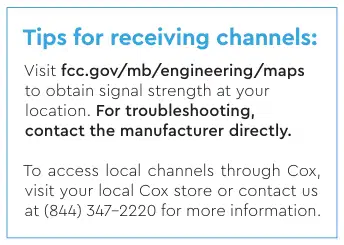
to obtain signal strength at your location. For troubleshooting, contact the manufacturer directly.
Using the source/input button on your TV remote, change the source of your TV to “antenna.” Run a TV channel scan. Your TV user manual will provide details on how to do this.
visit your local Cox store or contact us at (844) 347-2220 for more information.
Besitzer und unser Team antworten in der Regel innerhalb eines Tages – und Ihre Frage hilft auch anderen weiter.
Stellen Sie die erste Frage — andere Nutzer oder unser Team antworten Ihnen.